CarPlay Theme
CarGlyph
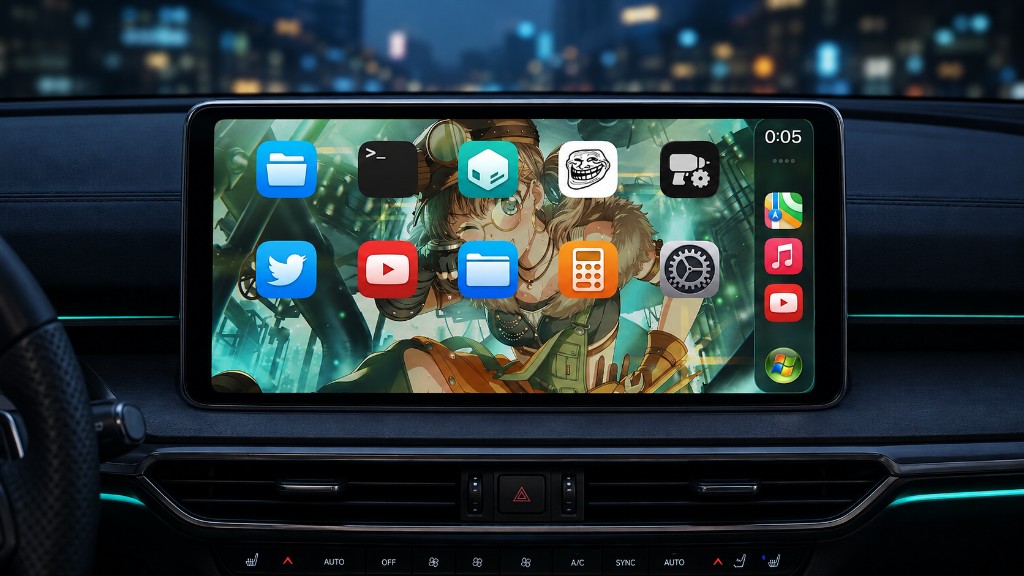
IconBundles テーマを、CarPlay のホームとドックだけに。iPhone のホーム画面はそのままです。
IconBundles themes for CarPlay home and dock icons only. SpringBoard stays stock.
iOS 17+
arm64 / arm64e
rootless
IconBundles
プレビュー
Preview
できること
Features
設定 → CarGlyph でテーマを選び、CarPlay を再接続するだけ。WinterBoard / Snowboard と同じ IconBundles パックが使えます。
Pick packs in Settings → CarGlyph, then reconnect CarPlay. Uses the same IconBundles packs as WinterBoard / Snowboard.
使い方
How to use
1
テーマを入れるInstall a pack
IconBundles 対応テーマを /Library/Themes へ。
Put IconBundles themes in /Library/Themes.
2
CarGlyph を有効化Enable CarGlyph
設定からオンにして、テーマを選択。
Turn it on in Settings and pick themes.
3
CarPlay を再読み込みReload CarPlay
再接続するか、設定の再読み込みをタップ。
Reconnect, or tap Reload CarPlay.
よくある質問
FAQ
iPhone のホームも変わりますか? Does this theme SpringBoard?
変わりません。CarPlay 専用です。iPhone 側は Snowboard などを使ってください。
No. CarGlyph is CarPlay-only. Use Snowboard (or similar) for the iPhone home screen.
テーマを選んでも純正のままです Icons stay stock after selecting a theme
CarPlay を再接続するか「CarPlayを再読み込み」を試してください。そのアプリ用の IconBundles 画像がパックに含まれているかも確認してください。
Reconnect CarPlay or tap Reload CarPlay. Also check that the pack includes IconBundles images for those apps.
複数テーマは使えますか? Can I use several packs?
はい。一覧の上にあるテーマほど優先されます。
Yes. Packs higher in the list take priority.
他の CarPlay Tweak
More CarPlay tweaks


対応
Compatibility